Discover the right Beeline solution for your organization
By answering a few quick questions, we’ll help identify the Beeline solution that best aligns with your goals, workforce structure, and operational needs.
Enterprise | Professional | Supplier Network | MBO Partners | JoinedUp
Background color options and resulting font colors:
Primary
Fit to text
Color: Beeline green #5fa300
Font size: 17px
Left, right padding: 26px
Top, bottom padding: 12px
Text align: center
Font weight: bold
Border radius: 40px
CSS class: button primary
Primary hover #448500

Secondary
Fit to text
Color: Bright blue #2257fc
Font size: 17px
Left, right padding: 26px
Top, bottom padding: 12px
Text align: center
Line height: 24px
Border radius: 40px
Border weight: 1,5px
CSS class: ?
Secondary hover

Secondary inverted
Fit to text
Color: white #ffffff
Font size: 17px
Left, right padding: 26px
Top, bottom padding: 10px
Text align: center
Line height: 24px
Border radius: 40px
Border weight: 1,5px
CSS class: ?
Secondary inverted hover

Examples
Medium scale colors
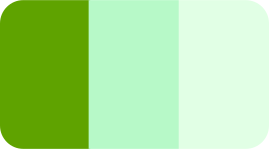
These colors may be used in small and medium-sized areas, including backgrounds of graphics. They are used to support the accent colors, create visual interest and help present information. All of these are rated AAA. For Beeline Enterprise, greens and blues must be most prevalent.
*Used on Beeline Enterprise product
Accent colors
These colors may only be used in small areas, like icons. They are be used to create visual interest and draw the eye. For Beeline Enterprise, greens and blues must be most prevalent.
*Used on Beeline Enterprise product
Examples
Pairings
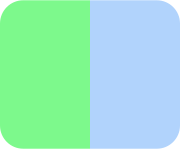
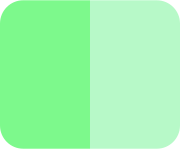
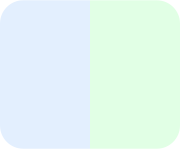
Please pay attention to which colors are ideal to pair adjacent to each other, and which aren't. When two colours (excluding white) are adjacent there must be a contrast ratio of at least 1.32:1.
All blues may be paired adjacently
Beeline Green may be paired with Icon Green, Light Mint and all blues except for Bright Blue
Mint Green may be paired with Light Mint and Print Navy
Do not pair:
Examples
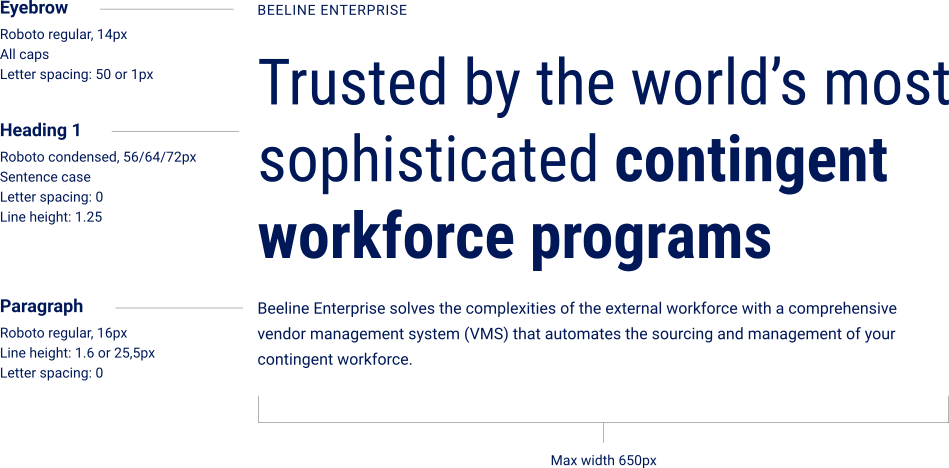
Words of a heading may be bold, but not the entire sentence. When a heading is inverted, the bold words must be Mint Green #7d798c.
Paragraph (desktop and mobile):
Roboto regular, 16px
Line spacing: 1.6
Tracking: 0
Color: #0C0C0C (97% black)
Inverted color: #ffffff
Inline links: Bright blue #0357fc, bold
Inverted inline links: Mint green #7df98c, bold
Lorem ipsum dolor sit amet, consectetur adipiscing elit, sed do eiusmod tempor incididunt ut labore et dolore magna aliqua. Ut enim ad minim veniam, quis nostrud exercitation ullamco laboris nisi ut aliquip ex ea commodo consequat. Example link.
Duis aute irure dolor in reprehenderit in voluptate velit esse cillum dolore eu fugiat nulla pariatur. Excepteur sint occaecat cupidatat non proident, sunt in culpa qui officia deserunt mollit anim id est laborum.
Headings:
Roboto Condensed regular
Line spacing: 1.25
Color: Navy #001858
Tracking: 0
Inverted color: #ffffff
Bold must be Mint Green #7df98c
Dektop:
Mobile:
Lorem ipsum dolor sit amet, consectetur adipiscing elit, sed do eiusmod tempor incididunt ut labore et dolore example link.
Tiny cards:
10px border radius
20px padding
Example: FAQ module
Lorem ipsum
Small cards:
14px border radius
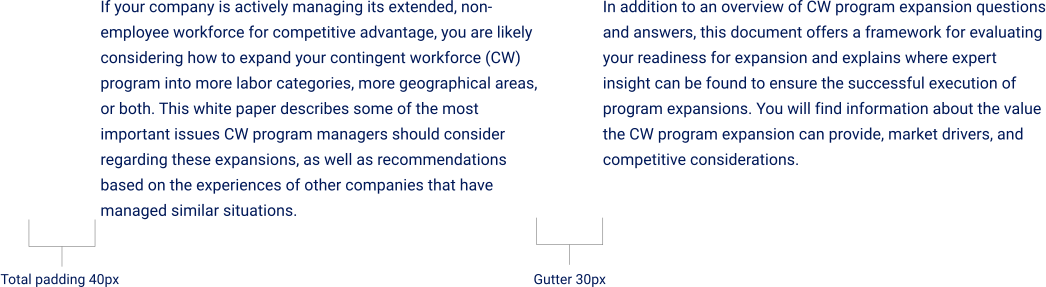
30px padding
Example: Podcast episode
Lorem ipsum dolor sit amet
Medium cards:
20px border radius
40px padding
Example: Featured content module
Lorem ipsum dolor sit amet, consectetur adipiscing elit, sed do eiusmod tempor incididunt ut labore et dolore magna aliqua.
Large cards:
26px border radius
55px padding
Example:
Lorem ipsum dolor sit amet, consectetur adipiscing elit, sed do eiusmod tempor incididunt ut labore et dolore magna aliqua. Ut enim ad minim veniam, quis nostrud exercitation ullamco laboris nisi ut aliquip ex ea commodo consequat. Duis aute irure dolor in reprehenderit in voluptate velit esse cillum dolore eu fugiat nulla pariatur. Excepteur sint occaecat cupidatat non proident, sunt in culpa qui officia deserunt mollit anim id est laborum.
Card colors
White is the default color for cards and modules with cards, including all testimonials, resources, card groups and carousels.
White cards must have a shadow.
If the card is clickable an enhanced shadow may appear on hover.
Multiple white cards may sit as a group.
When referring to other company sub-brands, the color strip related to said brand may be used.
Other colors may be used in specific circumstances to highlight and segment information.
Cards of color (not white) must not have a shadow.
Mutliple cards of color may not sit as a group.
If the card is clickable an enhanced shadow may appear on hover.
Examples
We use the Lineal Color icons by Freepik. All icons to please be uploaded as svgs. The default icon color for Enterprise is Light Green, although other Light colors may be used. Icons may have a white circle background, or be used as is. The dark lines may be inverted to white on a dark background.
Default color: Light Green
Optional colors: Light Blue, Light Orange, Light Pink, Light Purple
Size with circle: 60px
Size without circle: 45px
Shadows may be applied to white cards, images and graphic design elements
Shadow parameters Hubspot
Default:
box-shadow: 3px 5px 10px -2px rgba(0, 0, 0, .1);
Hover:
box-shadow: 3px 5px 10px -2px rgba(0, 0, 0, .1);
Shadow parameters Adobe Express
Blur 4-6, Angle 165, Distance 34+
Color #000000, Opacity 15%
By answering a few quick questions, we’ll help identify the Beeline solution that best aligns with your goals, workforce structure, and operational needs.